
Meetings & resources
Make every meeting count — before, during, and after.
Dates, agendas, speakers, RSVPs, guests, check-in, and materials — together in one place, instead of spread across a calendar, a spreadsheet, and somebody's inbox.
30 days free · Full product · Card required · $99/month after · Cancel anytime
How should a networking group manage meetings and guests?
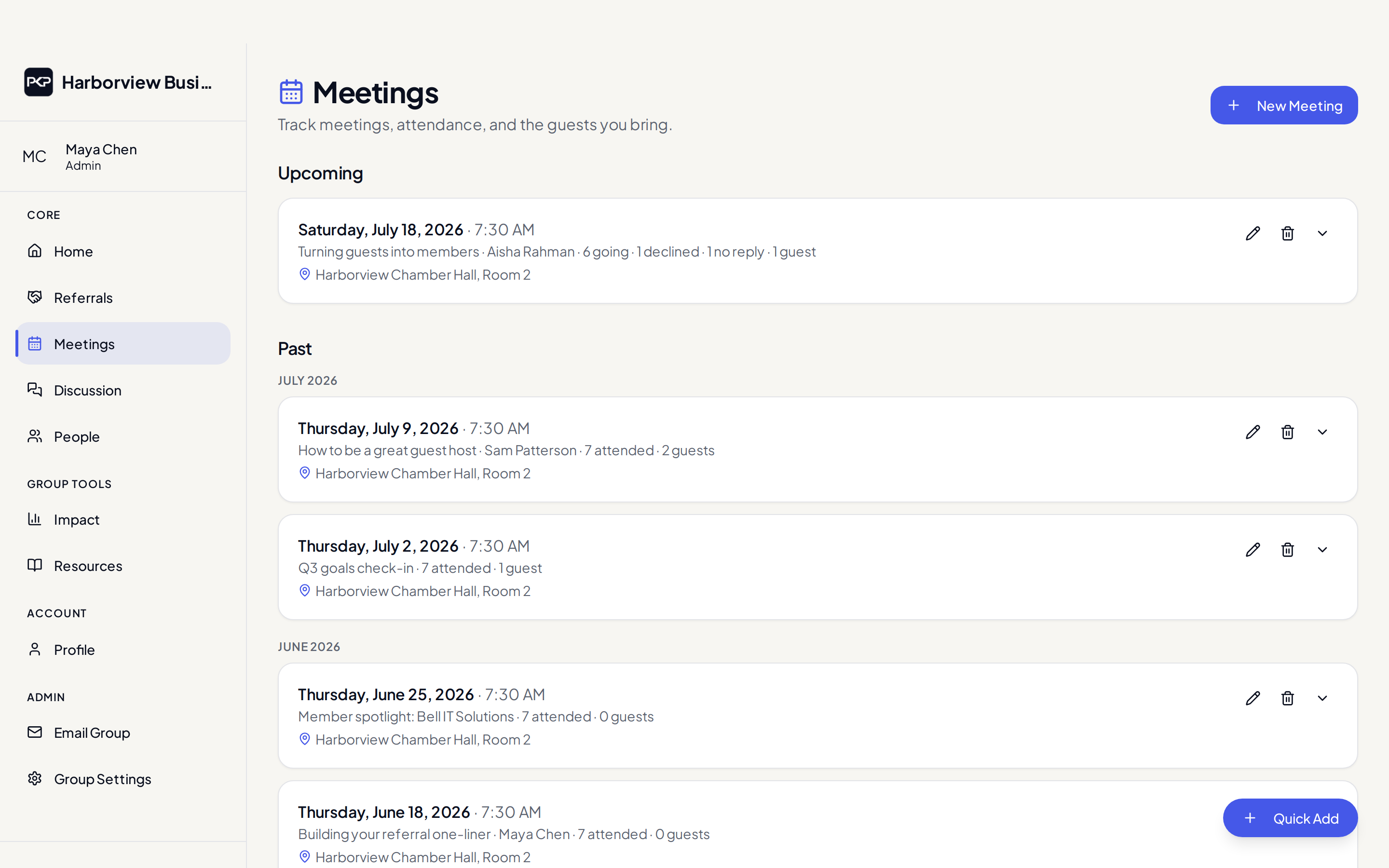
Keep the schedule, agenda, speaker, RSVPs, and guest list in one system so members always know what is next and leaders can check people in and follow up with guests without a clipboard. People Know People handles all of this, including a mobile check-in mode and a guest follow-up pipeline.
Before the meeting
- Members RSVP yes or no with one tap and see going and declined counts
- Members bring guests — the guest gets a confirmation email automatically
- Agendas, speakers, locations, and virtual meeting links live on the meeting
- Automatic reminder emails go out about 24 hours before
During the meeting
Admins open a full-screen, tap-friendly check-in roster on a phone. Confirmed members are marked attended in one pass, and attendance flows into every member's participation stats.
After the meeting
Attach slides, recordings, handouts, and links to the meeting. Materials added before the meeting publish automatically after it ends, land in the searchable resource library organized by topic and presenter, and members are notified when new material is available.
- Guests are tracked through a follow-up pipeline with owners and statuses
- Inviters get a nudge to follow up with their guests within a few days
- Attendance policies can flag members who have missed too many meetings
FAQ
Common questions
Yes. Meetings support RSVPs, agendas, speakers, mobile check-in, and guest invitations. Guests are tracked through a follow-up pipeline so promising visitors are not forgotten.
Yes. Slides, recordings, PDFs, and links can be attached to meetings and stored in a searchable resource library, so educational content stays useful after the meeting ends.
See what your group is really producing.
Try People Know People free for 30 days — the full product, with your own group.
30 days free · Full product · Card required · $99/month after · Cancel anytime